You want to watch something with friends online and you do not want to pay for it. There are five tools that come up most often: PartyStream, Teleparty, Discord screen share, Watch2Gether, and Scener. They all solve the same problem in different ways, and the right one depends on what you are watching and who you are watching it with.
Quick summary
- PartyStream: stream your own video files or screen. No account, no install. Best for watching your own content.
- Teleparty: browser extension that syncs Netflix, Disney+, Hulu, HBO Max. Best if everyone has the same subscription.
- Discord screen share: share your screen in a voice channel. Best if your group is already on Discord.
- Watch2Gether: watch YouTube, Vimeo, and web videos together in a shared room. Best for YouTube content.
- Scener: virtual theater with video chat and shared streaming. Best for a social, face-to-face experience.
PartyStream
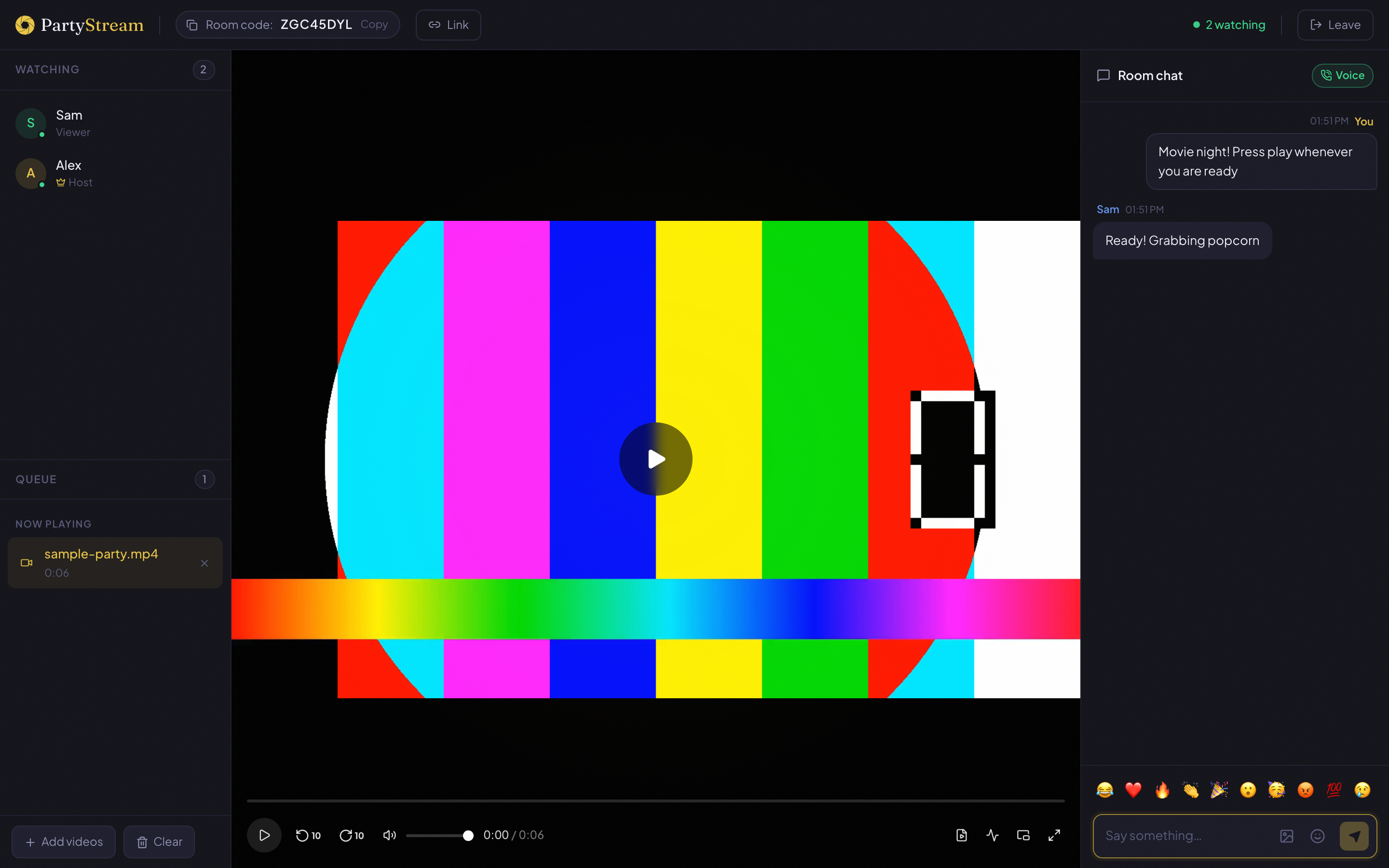
PartyStream is a standalone web app where one person (the host) picks a video file from their computer or shares their screen, and streams it directly to guests via WebRTC. No account, no extension, no subscription. Guests join from any browser, including phones.
Best for: watching your own video files, screen sharing a browser tab, groups where not everyone has the same streaming subscription, and situations where you want zero setup friction.
Limits: max 4 guests, host needs a desktop browser, only DRM-free files or screen shares.
Teleparty
Teleparty (formerly Netflix Party) is a browser extension for Chrome, Edge, and Opera. You open a streaming site (Netflix, Disney+, Hulu, HBO Max), start a video, click the Teleparty button, and share a link. Everyone needs the extension and an active subscription to the same service.
Best for: watching something on a supported streaming service when everyone has a subscription.
Limits: desktop only, Chrome/Edge/Opera only, everyone needs the same subscription, extension must be installed, can break when streaming sites update their player.
Discord screen share
Discord is a voice and text chat app with a screen share feature. You join a voice channel, click Share Your Screen, and everyone in the channel sees it. No sync, no seek bar, no queue. The video goes through Discord's servers.
Best for: casual viewing with a group that is already in a Discord voice channel, quick clips, and when voice conversation is the priority.
Limits: no playback sync, quality capped at 720p for free users (1080p with Nitro), requires a Discord account and the app, video goes through Discord's servers.
Watch2Gether
Watch2Gether is a website where you create a room and add video URLs from YouTube, Vimeo, Dailymotion, and other web video platforms. Everyone in the room sees the same video, and playback is synced. No install, but it only works with web video URLs, not local files.
Best for: watching YouTube videos together, sharing web video links, and situations where the content is already online.
Limits: only works with supported web video platforms, no local file support, no screen share, ad-supported on the free tier.
Scener
Scener is a browser extension and app that adds a virtual theater experience to streaming services. It supports video chat (webcam) alongside the movie, so you can see your friends' reactions. It works with Netflix, HBO Max, Disney+, Hulu, and Amazon Prime.
Best for: a social, face-to-face watch party where seeing everyone's webcam matters.
Limits: requires an extension and account, everyone needs a subscription to the same service, desktop-focused, can be heavy on system resources with video chat plus streaming.
Comparison table
- Video source: PartyStream (files + screen), Teleparty (streaming sites), Discord (screen), Watch2Gether (web video URLs), Scener (streaming sites).
- Account needed: PartyStream (no), Teleparty (no, but needs subscription), Discord (yes), Watch2Gether (no), Scener (yes).
- Install needed: PartyStream (no), Teleparty (extension), Discord (app), Watch2Gether (no), Scener (extension).
- Playback sync: PartyStream (yes), Teleparty (yes), Discord (no), Watch2Gether (yes), Scener (yes).
- Mobile guests: PartyStream (yes), Teleparty (no), Discord (yes), Watch2Gether (yes), Scener (limited).
- Max participants: PartyStream (4 guests), Teleparty (varies), Discord (server limit), Watch2Gether (varies), Scener (varies).
- Voice/video chat: PartyStream (voice), Teleparty (text only), Discord (voice + video), Watch2Gether (text + voice), Scener (video chat).
- Peer-to-peer: PartyStream (yes), Teleparty (no), Discord (no), Watch2Gether (no), Scener (no).
- Free: PartyStream (yes), Teleparty (yes), Discord (yes, 720p), Watch2Gether (yes, ad-supported), Scener (yes, premium tier exists).
How to pick
- You have a video file and want to watch it in sync: PartyStream.
- Everyone has Netflix and you want to watch a Netflix original: Teleparty.
- Your group is already in a Discord call and you want to show a clip: Discord screen share.
- You want to watch YouTube videos together: Watch2Gether or PartyStream (screen share).
- You want to see your friends' faces while watching: Scener.
- You want zero setup, no accounts, no installs: PartyStream.
- You want guests to join from a phone: PartyStream, Discord, or Watch2Gether.
- You want your video to stay private and peer-to-peer: PartyStream.
Want to try PartyStream?
Create a room